![logo_white_text.svg]](https://help.tinkle.co/hubfs/logo_white_text.svg)
User Action Options
Click the action dropdown next to a user to access management tools. 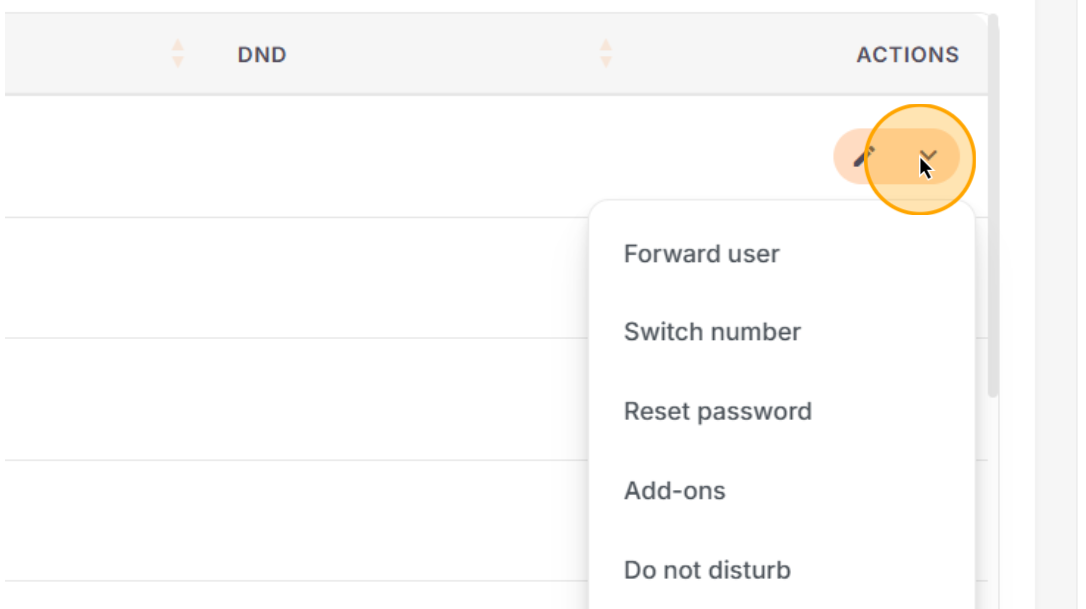
|
Option |
Description |
|---|---|
|
Forward Calls |
Divert a user's calls to another user or an external mobile number. |
|
Presentation Number |
Change the outbound DDI the user presents when making calls. |
|
Reset Password |
Send a password reset link to the user, or manually reset when needed. |
|
Do Not Disturb (DND) |
Enable or disable DND status for the user. |
|
Reset 2FA |
Reset the user's two-factor authentication settings. |
|
Delete User |
Remove the user from the system (only available if they are not tied to an active contract). |
Call Monitoring Features
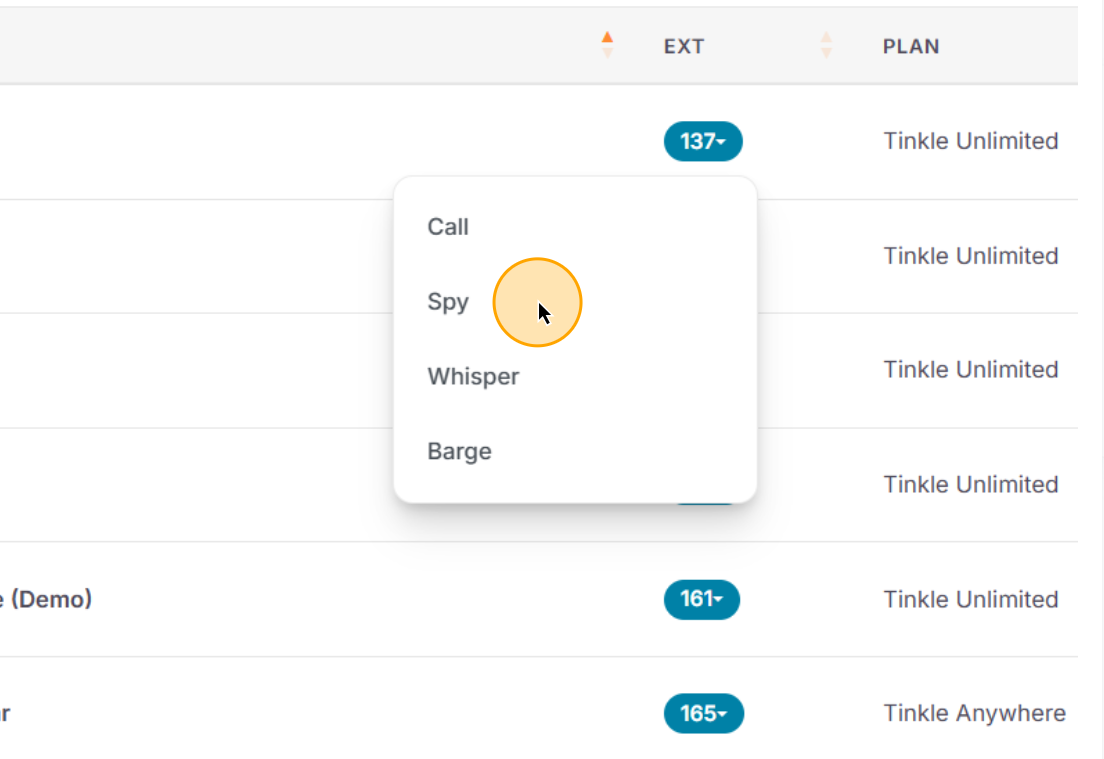
Tinkle CX offers live call intervention tools accessible directly from a user's extension link.
Click the user's extension number to reveal active call options.
Select a monitoring or intervention tool from the context menu.
|
Option |
Description |
|---|---|
|
Call |
Dial the user directly from the interface. |
|
Spy |
Silently listen to a user's active call without the agent or customer knowing. |
|
Whisper |
Speak directly to the agent during an active call without the customer hearing you (useful for coaching). |
|
Barge |
Enter an active call so that all parties (agent and customer) can hear you. |
The call monitoring features are only accessible by users who have the relevant permissions.