![logo_white_text.svg]](https://help.tinkle.co/hubfs/logo_white_text.svg)
To manage existing users, navigate to Tinkle CX Manager (manager.tinkletelecom.com) > Users
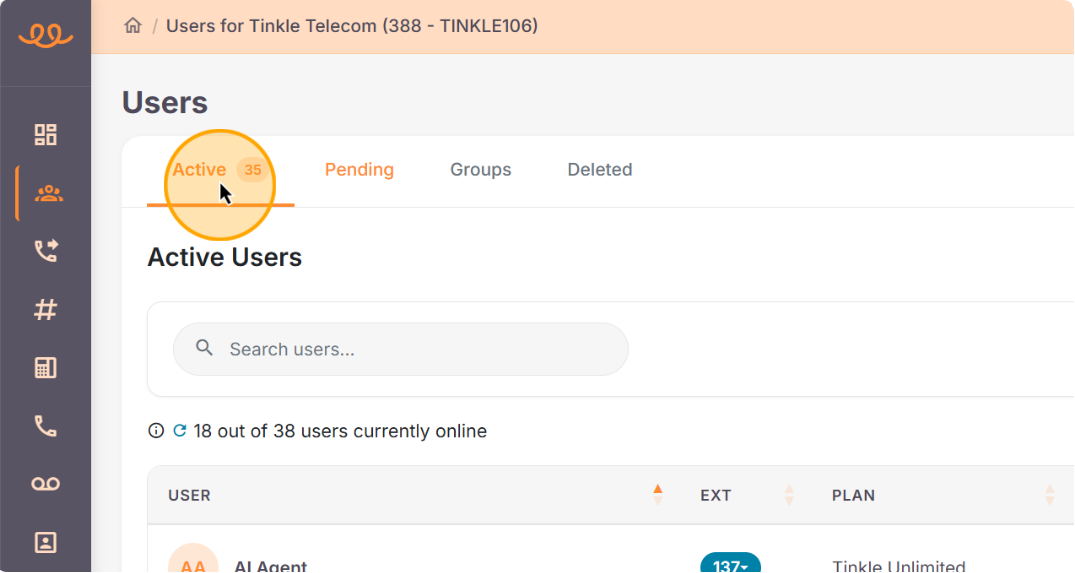
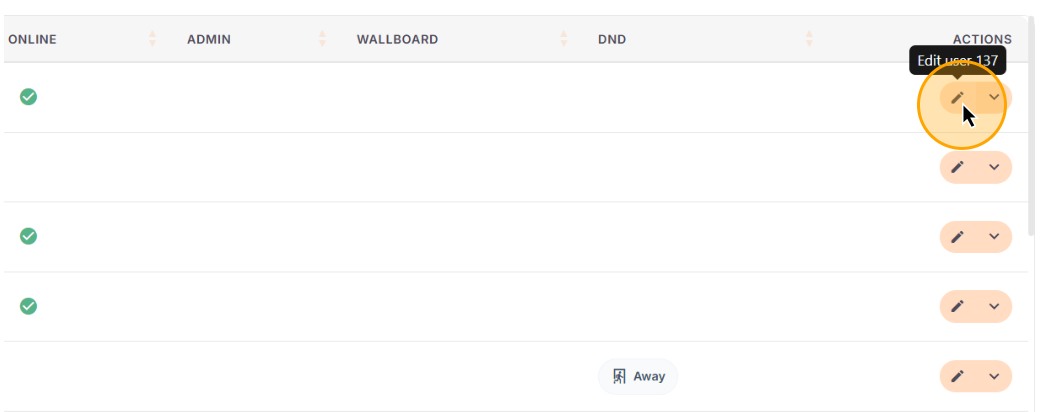
Click the Edit (pencil) icon next to the user you want to modify to adjust their settings.
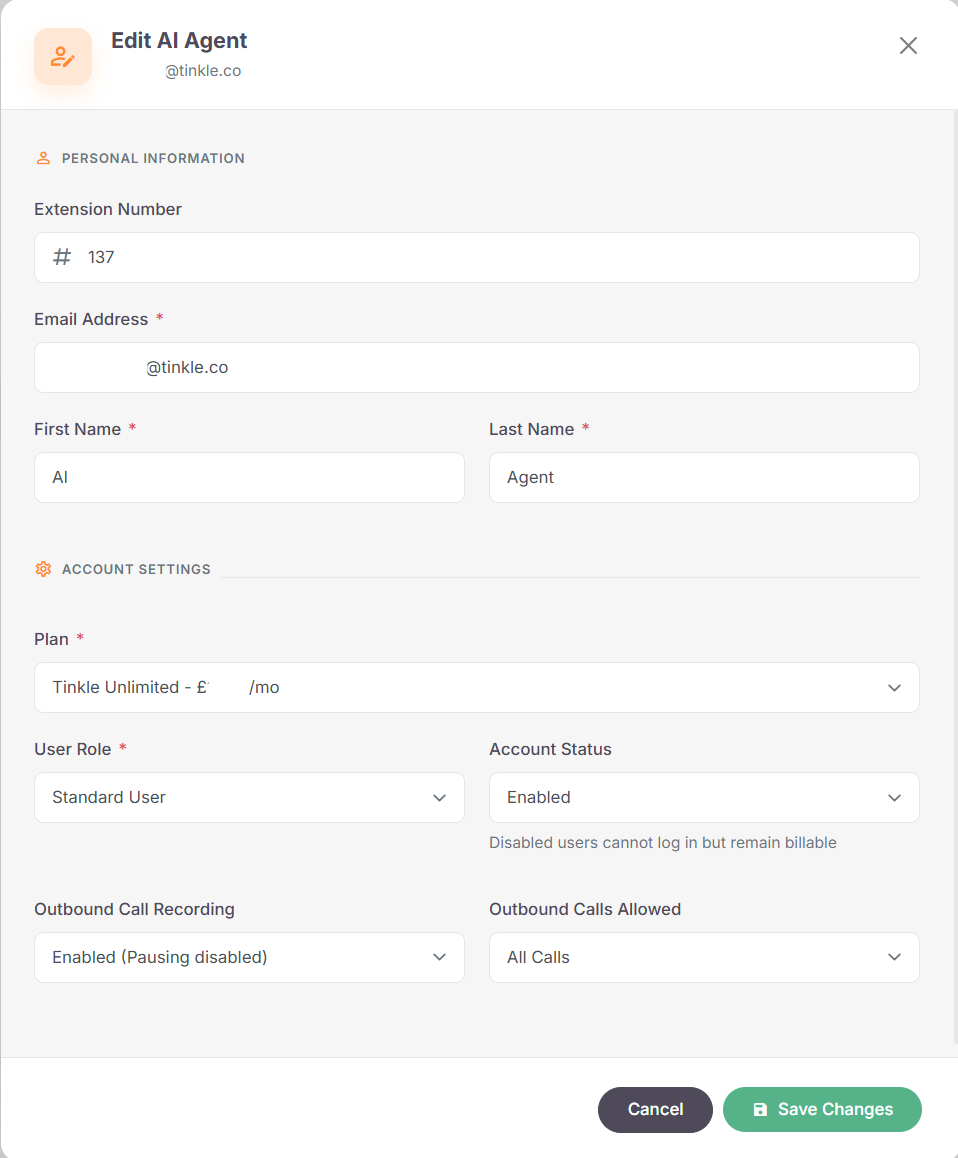
From here, you can edit the user settings below:
-
Extension number
-
Email Address
-
First & Last Name
-
Plan (unless already in contract)
-
User Role
-
Account Status
-
Outbound Call Recording
-
Outbound Calls Allowed